Expense Insights

Understanding Your Subscriptions: A Comprehensive Guide

In today's digital age, subscriptions have become an integral part of our lives. From streaming services to software licenses, we often find ourselves enrolled in numerous recurring payments. While convenient, managing these subscriptions effectively is crucial for maintaining financial stability. This guide provides a comprehensive overview of subscription management, covering types of subscriptions, tracking methods, cancellation tips, and alternative strategies.
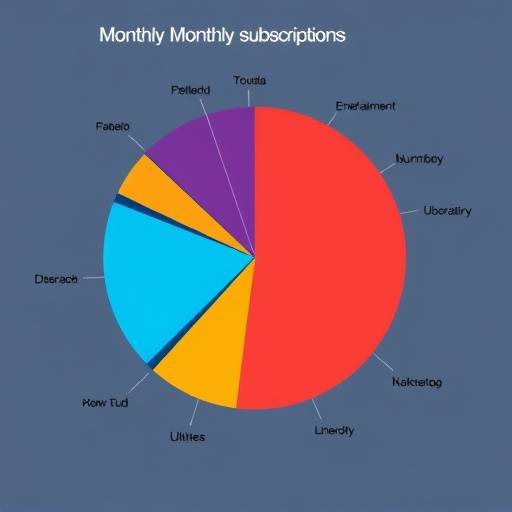
A pie chart illustrating the distribution of monthly subscription costs across various categories, such as entertainment, software, and utilities.

Types of Subscriptions

Subscriptions come in various forms, each catering to different needs and preferences. Recognizing these categories can help you better organize and manage your expenses.

Effective Methods for Tracking Your Subscriptions

Keeping track of your subscriptions is the first step toward gaining control over your recurring expenses. Here are several methods to help you monitor and manage your subscriptions effectively.

  1. Spreadsheet Tracking: Create a simple spreadsheet using tools like Microsoft Excel or Google Sheets. Include columns for the subscription name, monthly cost, renewal date, and cancellation instructions. Regularly update the spreadsheet as you subscribe to new services or cancel existing ones.
  2. Subscription Management Apps: Utilize dedicated subscription management apps like Truebill (now Rocket Money), Trim, or Bobby. These apps automatically track your subscriptions, send reminders for upcoming renewals, and help you identify potential savings.
  3. Budgeting Software: Incorporate subscription tracking into your overall budgeting process using software like Mint or YNAB (You Need A Budget). These tools allow you to categorize your subscription expenses and track them alongside your other financial obligations.
  4. Bank and Credit Card Statements: Regularly review your bank and credit card statements to identify recurring charges for subscriptions. This can help you spot any subscriptions you may have forgotten about or no longer use.
  5. Calendar Reminders: Set up calendar reminders for subscription renewal dates to ensure you're aware of upcoming charges and have the opportunity to cancel if needed.
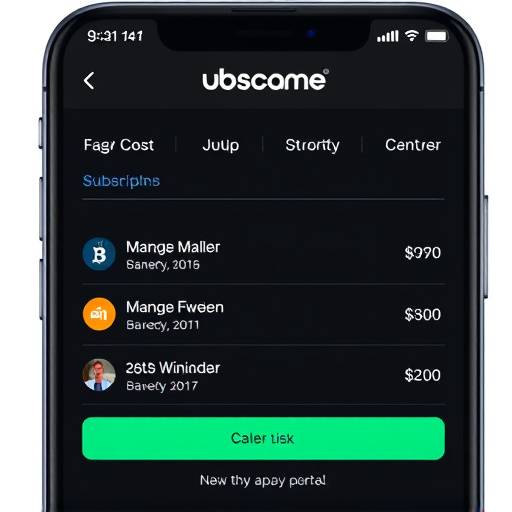
A screenshot of a subscription management app on a smartphone, showing a list of active subscriptions and their monthly costs.
Sample Subscription Tracking Table
Subscription Name Monthly Cost Renewal Date Cancellation Instructions
Netflix $15.49 2024-08-15 Cancel online via account settings.
Spotify Premium $9.99 2024-08-22 Cancel online via account settings.
Adobe Creative Cloud $52.99 2024-09-01 Cancel online via Adobe website.
The New York Times $17.00 2024-08-28 Cancel online via account settings or by calling customer service.

Tips for Cancelling Unwanted Subscriptions

Cancelling subscriptions can sometimes be a hassle, but with the right approach, you can streamline the process and avoid unnecessary charges.

"Effective subscription management is not just about saving money; it's about taking control of your financial life and making informed decisions about where your money goes." - Eleanor Vance, Financial Advisor at Vance & Blackwood Wealth Management, Boston, MA.

Exploring Alternatives to Costly Subscriptions

Before committing to a subscription, consider whether there are more cost-effective alternatives that can meet your needs.

A person happily reading a physical book with a steaming cup of coffee next to them, symbolizing the value of non-subscription alternatives.

Real-World Examples of Subscription Management

Let's look at how effective subscription management can impact your finances with some fictional, yet realistic, examples.

Case Study 1: The Music Lover

Mark, a resident of Cambridge, MA, enjoys listening to music daily. He subscribed to both Spotify Premium ($9.99/month) and Apple Music ($10.99/month) because he couldn't decide which he liked better. After a careful review of his subscriptions using Expense Insights' tools, he realized he rarely used Apple Music. By cancelling Apple Music, Mark saved $131.88 annually. He then used that saved money to invest in a local music education program for underprivileged kids.

Case Study 2: The Fitness Enthusiast

Sarah, living in the Back Bay area of Boston, had subscriptions to three different fitness apps: Peloton ($12.99/month), a yoga app ($9.99/month), and a running app ($7.99/month). Using a detailed spreadsheet, Sarah tracked her usage and discovered that she primarily used Peloton and the free features of the running app. She canceled the yoga app and subscribed to an online library that offered free yoga videos. This saved her $119.88 per year, which she allocated to purchasing high-quality workout gear from a local sporting goods store.

Case Study 3: The Avid Reader

David, a professor at Harvard University, subscribed to several academic journals and news outlets to stay current in his field. He paid for individual subscriptions to The Harvard Business Review , The New England Journal of Medicine , and The Boston Globe . He discovered that Harvard's Widener Library offered access to these publications digitally for free. By leveraging these library resources, David canceled all three subscriptions, saving approximately $500 annually. He donated half of the savings to the university's scholarship fund and used the rest for professional development courses.